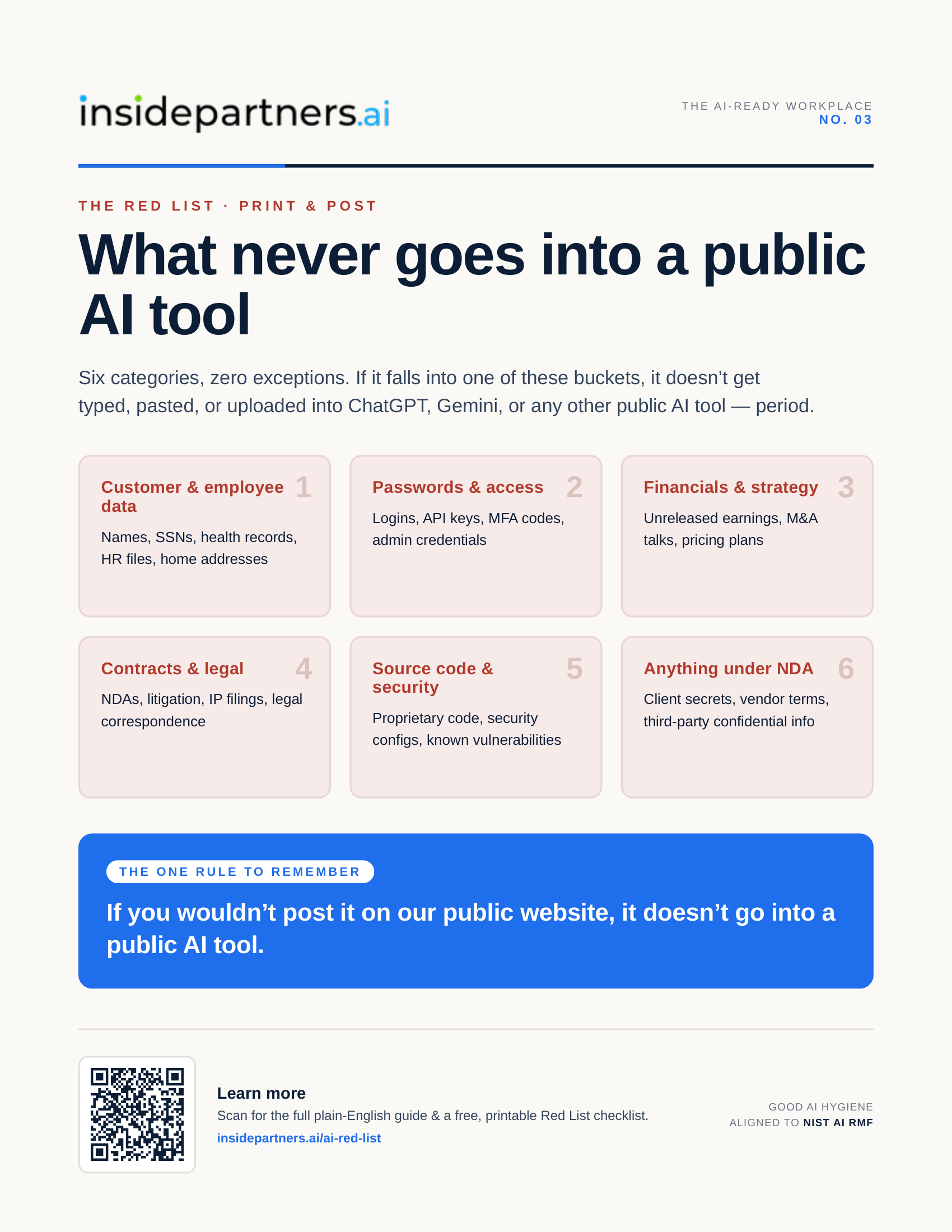
“Is this OK to paste in?” is the wrong first question.
Week 1 covered the quick gut-check for what's safe to type into a public AI tool. But gut-checks are judgment calls, and judgment calls are exactly where things slip on a busy day. So this week is the version with no judgment call required: six categories of information that never go into a public AI tool, full stop, no matter how the prompt is phrased or how small the ask feels.
The six categories.
Customer and employee data — names, Social Security numbers, health records, HR files, home addresses. Passwords and access — logins, API keys, MFA codes, admin credentials. Financials and strategy — unreleased earnings, M&A conversations, pricing plans. Contracts and legal — NDAs, litigation materials, IP filings, legal correspondence. Source code and security — proprietary code, security configurations, known vulnerabilities. And anything covered by an NDA — client secrets, vendor terms, any third party's confidential information, even if it's not technically “yours” to protect.
Why a hard list, not just a gut check.
A gut check works when people have time to think. It breaks down under deadline pressure, when the ask feels routine (“just summarize this contract”), or when someone genuinely doesn't know a detail is sensitive. A short, memorized list closes that gap — it's something people can check in five seconds without having to reason it out each time.
The one rule that ties it together.
If your team remembers nothing else: if you wouldn't post it on the company's public website, it doesn't go into a public AI tool. Public AI tools are not confidential by default — treat anything typed into one as if a stranger could read it, because in many cases, that data does help train the model.
Before you paste — a 3-question check.
When something doesn't obviously fit one of the six categories, three quick questions catch most of the rest: Could this identify a real customer, employee, or patient? Would I be comfortable if this showed up in a competitor's inbox tomorrow? Is this covered by an NDA or contract? If the answer to any of these is “yes” or “not sure,” don't paste it — ask first.
Make it stick.
Print the poster and put it next to Week 1's. Hand out the printable Red List checklist as a desk card or laminate it near shared workstations — it takes about five minutes to customize the highlighted fields. Both are free below, no email required.